
Read the story? Tell us what you think!
-
0

 Didn't know that!
 -
0

 Hmmm....tell me more.
 -
0

 How and where can I get this?
 -
0

 I’m already a loyal fan!
 -
0

 Will share this ASAP!
Whether you intend to use it for work or gaming, the one thing every guy looks for in a laptop is versatility. Not just any laptop will cut it: A portable computer should be able to handle multiple requirements with relative ease. Is it so wrong to want to destress by playing Call of Duty with the same machine you use to type away at the office?
This is where the ASUS Zenbook Pro Duo comes in, and it has a very unique setup. For starters, it has two touchscreens—the main one being a 15.6-inch 4K UHD OLED screen, and what ASUS calls ScreenPad Plus, a secondary 4K screen above where your keyboard is. Anyone seeing it for the first time would think it’s some sort of gimmick—but the secondary screen actually promises optimal functionality. The keyword: Multitasking.

With the addition of the ScreenPad Plus, you can have multiple applications running simultaneously across both displays. What it means is that you no longer need to switch back and forth between programs when you want to do some heavy multitasking. You can stream movies while working on a presentation, and have all your files and references open all at the same time. These days, productivity is the name of the game.
For those times you want to blow off some steam with your friends after work, you can also play your online games on the main 4K OLED screen, while still being able to see your Discord chat and even your facecam on the ScreenPad Plus, all at the same time.
The Zenbook Pro Duo’s hardware capabilities are also worth noting—it comes pre-configured with an Intel Core i9 processor, NVIDIA RTX 2060 graphics, 32GB of RAM, and 1TB PCIe SSD. Simply put: This thing was made not just for gamers, but also creators. Not only can you play your games with faster framerates and smoother gameplay, but you can also edit and render high-resolution videos, lay out designs, and open heavy files knowing that you’ll never have to worry about it lagging or crashing.
It also looks and feels solid for a lightweight ultrabook, considering its hardware specs. Aside from the screens, trackpad, and keyboard, it also contains a charging port, an HDMI port, a couple of USB 3.1 Gen 2 Type-A ports, two loudspeakers, and an IR webcam just to name a few.
There’s also a neat feature, which ASUS calls the ErgoLift hinge. This raises the keyboard above the desk surface for a better typing experience, and also has the effect of allowing the exhaust vent to work more efficiently with better airflow. This helps the ZenBook Pro Duo keep cool even during long gaming sessions, or when doing batch renders of your projects.
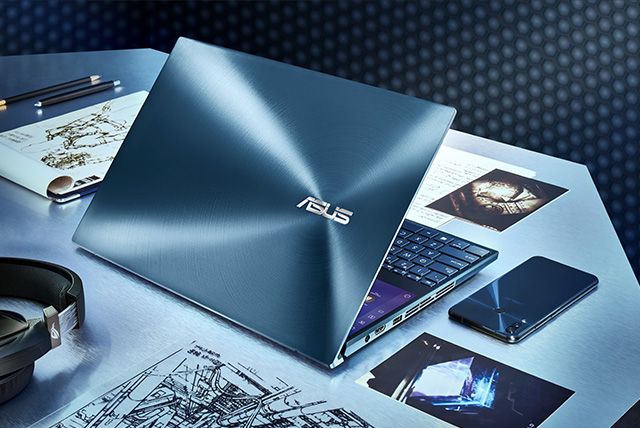
The ASUS Zenbook Pro Duo is priced at P199,995 (i-9-9980HK) and P169,995 (i7-9750H)—not a walk in the park. But if you’re thinking of upgrading to a laptop that can take everything you can throw at it, we cannot think of a better contender.
You can learn more about the Zenbook Pro Duo at the ASUS website and get yours today at the ASUS Official E-store. For updates, you can also follow the brand on Facebook.
NOTICE ON UNAUTHORIZED AND UNLAWFUL USE, PUBLICATION, AND/OR DISSEMINATION OF SPIN.PH CONTENT: Please be notified that any unauthorized and unlawful use, publication, and/or dissemination of Spin.ph’s content and/or materials is a direct violation of its legal and exclusive rights to the same, and shall be subject to appropriate legal action/s.

